


PBS: TV Shows & Documentaries
4.74.84K Reviews
App Specs
- Version
- 5.25.0
- Updated On
- License
- Free
- Downloads
- 5,000,000+
- Developer
- PBS
- Categories
- Entertainment
- Platform
- Android, iOS
Screenshots

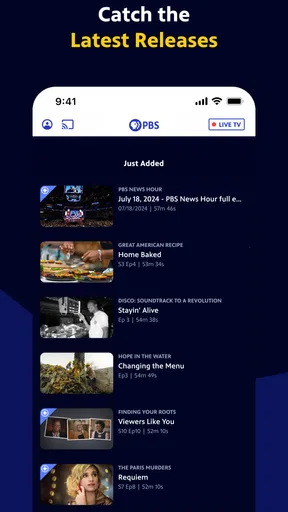
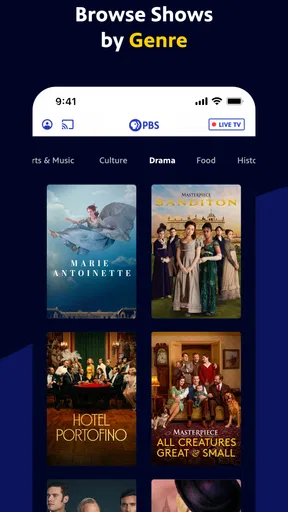
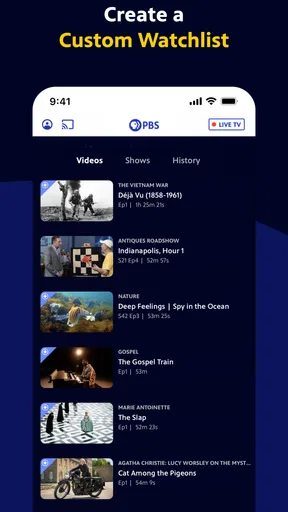
 Analysis by AppCompare
I tend to open a streaming app with a specific question: can I find something worthwhile quickly, and will it fit the time I have? PBS: TV Shows & Documentaries is aimed at viewers who want thoughtful television, news, and documentaries rather than an endless chase through every kind of entertainment. It is a free entertainment app from PBS, and its focus makes it especially appealing when I want a program that leaves me with something to think about.
Where viewers can get stuck
The appeal of a focused library is also its main trade-off. If I am looking for mainstream films, a huge range of unrelated genres, or the newest hit from every network, this is not the one app I would rely on. PBS is a better fit when I already know I want a documentary, news program, or a series with an educational angle. That narrower purpose can make choosing easier, but it also means the app is not a universal replacement for a broad streaming service.
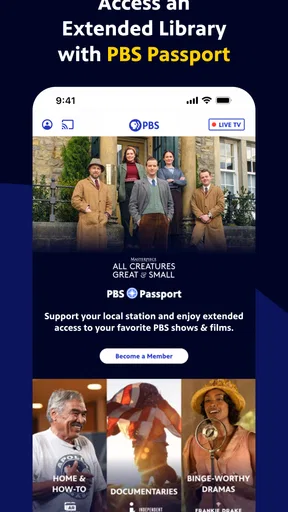
It helps to separate the app’s free access from PBS Passport. The app costs nothing to install, while Passport is the route to full seasons and additional member viewing. That distinction matters if I open a program and find that not every episode is available to watch in the same way. Before planning a long watch-through, I would check what is currently accessible in the app and whether Passport is relevant to the particular series I want.
Another common point of friction with any video app is expecting every program to be available everywhere at all times. The useful approach here is to treat the app as a changing selection of PBS programming, not as a promise that every episode will remain ready whenever I return. If a particular show is the reason I am installing it, I would search for that title first rather than assume the entire catalog is open.
Setup checks that save time
The practical basics are simple: install the app on a supported device, open it, and search for a program or browse what is featured. The Android release is version 5.23.0 and requires Android 6.0 or later. On iOS, I would check the current App Store compatibility details for my device before installing. PBS has kept this app available since June 9, 2015, and it has grown to more than five million installs, with a 4.8 average from around 26,000 ratings.
If something does not load as expected, I start with ordinary checks instead of assuming the program itself is broken. I confirm that the device has a working internet connection, close and reopen the app, and make sure the app and operating system are not unusually out of date. If the problem affects only one program, I try another title; if several fail in the same way, I check the connection before spending time searching for a catalog explanation.
For a smoother first session, I also decide what I want to watch before settling in. Searching by a known title is often quicker than browsing when I have a short break. Browsing makes more sense when I have time to explore and am open to being drawn into a topic I had not planned to watch.
Worth Reading Before You Choose

EA SPORTS FC Mobile 26 Is a Bigger Football Game, but It Takes Time

Flipboard Shows What News Apps Must Do Beyond the Feed

Switching to Android Auto Means Rethinking Your Driving Routine

Google Calendar Makes a Crowded Week Easier to Manage

Ludo King Makes the Most of the Minutes Between Plans

Baby Panda World Brings Quick Play to Modern Phones, but Its Game Library Feels Busy
Recovering a viewing session
When playback stalls, I avoid repeatedly tapping every control at once. I pause briefly, check whether the connection is still working, then try to resume or reopen the program. Switching from mobile data to a steadier Wi-Fi connection, when one is available, is a sensible test for video that keeps interrupting. If other apps also struggle online, that points me toward the connection rather than PBS specifically.
If I lose track of a program, I search for it again by name instead of relying on memory of where it appeared in a collection. Collections can be useful discovery tools, but a title search is the more direct route when I already know what I want. I also avoid building a plan around watching a whole season until I have checked which episodes are available to me; this is particularly important when Passport access is part of the decision.
People often wonder whether they need to pay just to try the app. The app itself is free, so I can install it and explore the available programming without treating that as a Passport commitment. The separate membership option is for viewers who want the additional access associated with Passport and want to support PBS. I would decide based on the shows I actually plan to watch, not on a general assumption that every program requires membership.
The World of PBS at Your Fingertips
First things first, let’s talk about what PBS: TV Shows & Documentaries brings to the table. This app is a treasure trove of educational and entertaining content. Whether you're in the mood for gripping documentaries or classic TV shows, PBS has got you covered. The app is available on both Android and iOS, so no one’s left out of the fun.
Easy Navigation and User-Friendly Design
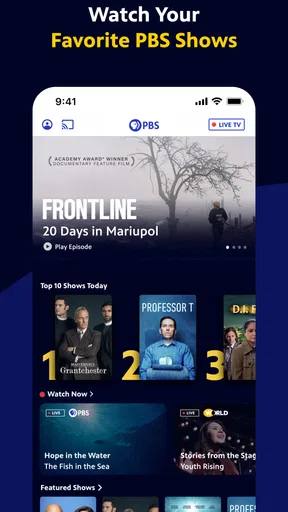
Navigating through the app is a breeze. The interface is clean and straightforward, which is a relief because I’ve seen my fair share of apps that feel like a maze. The search function is pretty robust, allowing you to find shows by name, genre, or even your favorite PBS personalities. It’s like having a PBS library in your pocket.
And let’s not forget about the personalized recommendations. The more you watch, the better the app becomes at suggesting content you’ll love. It’s like it knows you better than you know yourself!
A Diverse Selection of Content
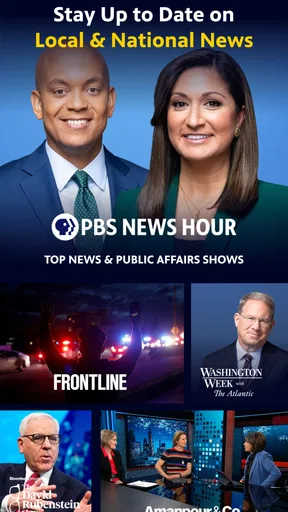
Now, onto the content itself. PBS offers a rich variety of programs. From the legendary "PBS NewsHour" to captivating documentaries like "Nature," there's something for everyone. And if you’re a fan of history, "American Experience" will be right up your alley. Each show or documentary is crafted with such attention to detail, you’ll find yourself learning something new every time you open the app.
Plus, the app features special collections around themes or timely events, which is perfect if you’re interested in a specific topic. It’s like they’ve thought of everything!
Seamless Streaming Experience
One of my favorite things about the app is the streaming quality. Whether you’re on Wi-Fi or using mobile data, the playback is smooth and crisp. I’ve binge-watched my way through many a rainy day without a single hitch. There’s nothing worse than buffering right at the climax of a show, and thankfully, this app doesn’t disappoint.
Membership Benefits
If you’re a true PBS enthusiast, becoming a member unlocks even more content. The membership offers access to a wider range of exclusive shows and documentaries. It’s a great way to support PBS while getting more of the content you love. Plus, you can feel good knowing you’re contributing to public broadcasting.
For those who love to travel, the app also supports offline viewing. You can download your favorite episodes and watch them wherever and whenever you want. Perfect for those long flights or commutes!
Who will enjoy it most?
I would recommend this app to someone who likes to turn spare time into a small learning break. A parent might browse for a nature program to watch with a curious child, while an adult could put on a history documentary after dinner or catch up with news programming. The age rating is Teen, so I would still use my own judgment when choosing a particular program for younger viewers rather than assuming every title suits every age.
It also works well for viewers who dislike spending half their evening choosing. If I have ten minutes, I can look for a familiar show; if I have a free afternoon, I can explore a themed collection and let it lead me somewhere unexpected. That difference in how I use search and browsing is more useful than treating the app as one long list of programs.
A realistic way to fit it into the day
Imagine I have a quiet lunch break and want something more substantial than background clips. I can open the app, search for a program I already follow, and watch an available episode. Later, at home, I can use a collection to find a documentary connected to a topic I enjoyed. If I want to continue through a full season, I check whether Passport access applies before counting on every episode being ready. This small check prevents a free trial session from turning into an unexpected interruption in my plans.
For travel, I would plan ahead rather than wait until I am offline. The original appeal of downloads is obvious for a flight or commute, but the practical trade-off is that I need to select episodes while I still have a connection and allow time to prepare them. I would also check that the chosen content is available for offline viewing before relying on it as my only entertainment. That is a better approach than assuming every title can be saved.
How it compares with other ways to watch
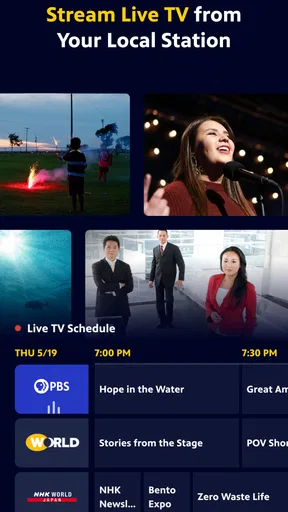
Compared with a general-purpose streaming service, PBS feels more purposeful: I am more likely to open it with an interest in current affairs, culture, science, history, or a specific PBS series. A broad service may be the better choice when my household wants blockbuster films, a wide mix of genres, or one destination for many studios. On the other hand, when I want a documentary-led evening, the PBS focus saves me from sorting through a much larger assortment of unrelated entertainment.
It is also different from watching short clips on social platforms. A full program gives a subject more room to develop, which suits a viewer who wants context rather than a quick summary. The trade-off is time: a documentary or episode asks for more attention than a short video, so I would not open the app expecting a stream of tiny pieces to fill a few seconds. The app makes more sense when I can give a program a proper stretch of attention.
When the app is not the cause
Video problems are not always caused by the app. A weak connection can interrupt playback, and a device that is struggling with several online tasks may behave poorly across multiple services. I find it useful to test another program and, if possible, another app before deciding that a specific PBS episode is the issue. Restarting the app and checking the connection are low-effort steps that can narrow down the problem without changing account or device settings unnecessarily.
Content access can also be different from playback trouble. If one title is not available to me, refreshing the connection will not necessarily make it appear; the more useful next step is to check the title’s access route and whether Passport is needed. Keeping those two issues separate—streaming reliability and program availability—makes troubleshooting less frustrating.
Final Thoughts
All in all, PBS is a strong choice for anyone who enjoys quality content. The combination of a user-friendly interface, an extensive library, and the ability to watch anywhere makes it a winner in my book. Whether you’re a documentary aficionado or just looking for something new to watch, give this app a try. You might just find your next favorite show.
If you’re ready to dive into the world of PBS, you can download the app from the links provided on our website. Happy watching!
Pros
- Wide variety of educational content.
- High-quality video streaming.
- User-friendly interface.
- No ads with the premium version.
- Regularly updated with new shows.
Cons
- Limited free content availability.
- Requires account for personalized features.
- Offline viewing requires subscription.
- Some content restricted by region.
- No parental control options.
FAQs for PBS: TV Shows & Documentaries
What types of content are available on PBS: TV Shows & Documentaries?
PBS: TV Shows & Documentaries offers a diverse range of content, including educational programs, documentaries, and popular TV shows. Users can enjoy award-winning series, in-depth documentaries, and exclusive PBS content that covers a wide array of topics from history and science to arts and culture.
Is there a cost associated with using the PBS app?
The PBS app is free to download, and many of its shows are available at no cost. However, some content may require a PBS Passport subscription, which is a member benefit offering extended access to on-demand video. Check within the app or the PBS website for more details on subscription plans.
Can I watch PBS shows offline?
Currently, the PBS app does not support offline viewing. All content is streamed, which means you'll need an internet connection to watch programs. PBS may update this feature in the future, so it's a good idea to check for the latest app updates if offline viewing is a priority for you.
Is PBS: TV Shows & Documentaries available internationally?
The availability of PBS content can vary by region due to licensing agreements. The app is primarily designed for U.S. audiences, so viewers outside the U.S. may experience restrictions. It's advisable to check the app store or PBS website to confirm availability in your specific location.
How can I customize my viewing experience on the PBS app?
The PBS app allows for a personalized viewing experience by letting users create watchlists and receive recommendations based on their viewing history. Simply sign in with your PBS account to save your preferences and continue watching across different devices seamlessly.


